




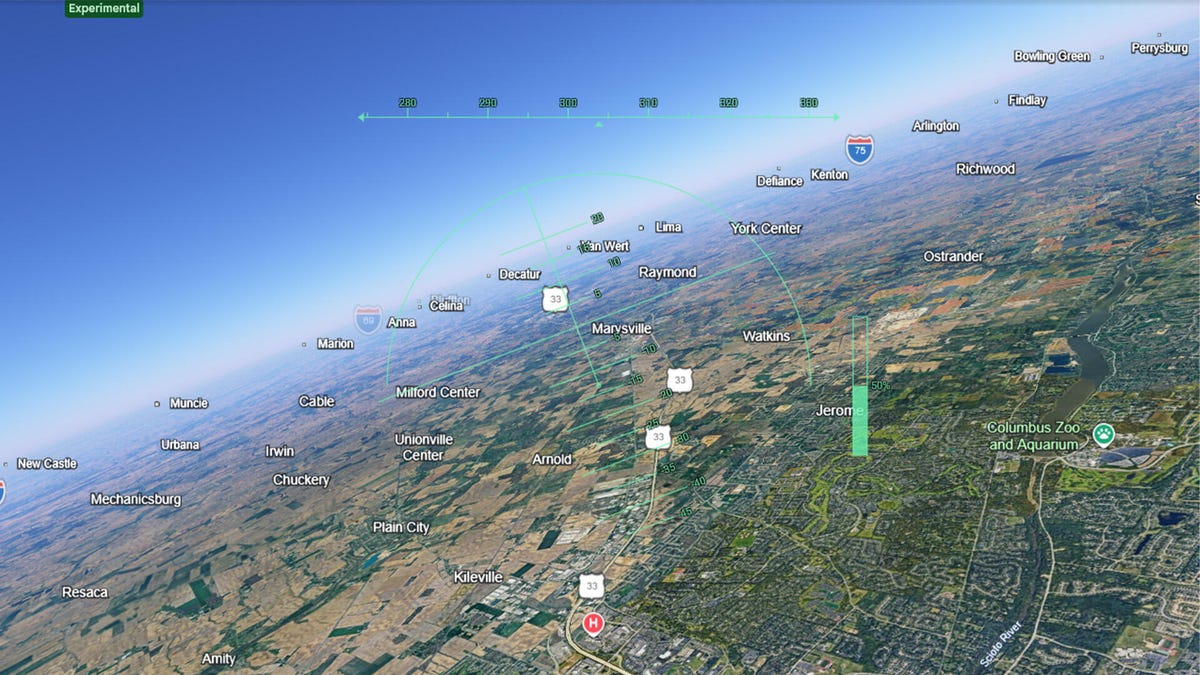
One of the hidden features in the Google Earth desktop app is a fun little flight simulator that lets you fly all over the Earth using maps generated by the app. And Google has just announced that the flight simulator is also now available in your web browser of choice for all to enjoy.
The addition of the game is part of a larger push by Google to add pro-level features to the website interface, so you can skip installing the desktop app. Some of those features include elevation profiles, new import types, extra data layers and the flight simulator.
Most of the above features are for professional and hobbyist use, but the flight simulator is just there for fun. It’s been around since 2007 in the desktop app, and Friday marks its first appearance in the website version of Google Earth.
It’s not as in-depth as some other flight sims, but you can’t argue with the breadth of places where you can fly.
How to play the flight simulator in Google Earth
It doesn’t take a lot of effort to get into the game. Start by following this link to the Google Earth website and clicking the Explore Earth button in the top right corner. Use the search bar to load the point on Earth where you would like to fly. Finally, click Tools, and the flight simulator is the last option on the list.
The controls aren’t shown in the game, but you can find them on Google’s developer website. You can choose to use the mouse or arrow keys to control the pitch and roll of the plane. The Page Up and Page Down buttons increase and decrease thrust, respectively. But be careful — it is quite easy to lose control of the airplane, leading to a topsy-turvy browser screen. The game ends if you crash the airplane, but Google lets you try again as often as you want.
It’s not nearly as in-depth with its gameplay as something like Microsoft Flight Simulator or the Ace Combat series. However, Google Earth’s flight simulator has access to the entire Google Earth database, so you can fly to almost anywhere on Earth and check out various landmarks.
There aren’t any missions, achievements or other notable progress that you can make, but if you ever wanted to thread an airplane under the Golden Gate Bridge, now is your chance.
Read the full article here