




After dropping the Gemini app on MacOS in April, Google says it’s bringing voice capabilities and the newly unveiled claw-like autonomous AI assistant Gemini Spark to the MacOS app in the coming months — one of the many announcements that came during Google I/O 2026 on Tuesday morning.
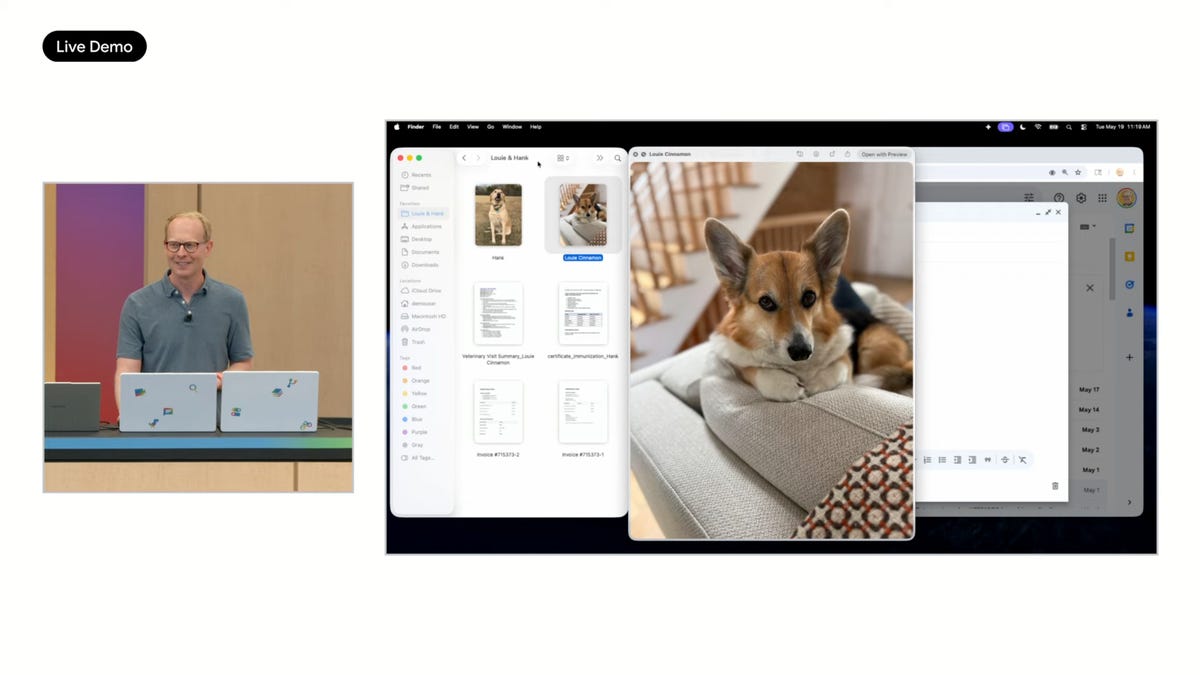
Speaking from Google’s Mountain View, California, HQ during Google I/O, Josh Woodward, VP of Google Labs, Gemini app and AI Studio, demonstrated how you can select a bunch of documents you’ve uploaded onto your MacBook — in his example, he used paperwork related to his pets, like vaccination records and allergy lists — and then long-press the function key and verbally dictate what you want the AI assistant to do with it.
The demonstration showed you can not only dictate an email relating to the documents (as well as requesting that it sound “friendly”), but at the same time also request that Gemini turn the files you selected into a table.
You then release the function key, and Gemini will put together your multiple verbal requests.
Gemini drafts an email with tables it created out of multiple documents selected via MacOS’ Finder.
“What it’s done is because I’ve selected those files in Finder using its multimodal understanding, it can go through the PDF, it can go through these images of their invoices, and it’s all controlled by my voice, so it can actually take all that complex information and … it’s got a table in line,” Woodward said.
You can download the Gemini app for MacOS at gemini.google/mac, and then use a simple shortcut to launch it. If you’ve got a MacBook, you can access Gemini at any time by pressing Option and Space on the keyboard. It already includes some of Gemini’s best features, like Nano Banana image generation.
While most people use AI chatbots via their phones or web apps, a native app for a desktop operating system is a newer development. With Gemini poised to power Apple’s new AI-redesigned Siri, it’s unsurprising that MacBooks would also get Gemini built in.
Gemini’s voice capabilities and Gemini Spark will be arriving on MacOS in the summer.
Gemini Spark is arriving on MacOS this summer.
Read the full article here